Welcome to BYQ Design Systems
Every BYQ template carries a complete visual language — its colors, typography, spacing, surface depth, and voice. Design Systems extract that language into a small set of files you can take anywhere: drop them into AI tools like Claude, ChatGPT, Lovable, Cursor, or v0, import the tokens into Figma, or wire them into your own codebase. The same template’s styling now follows you wherever you build.
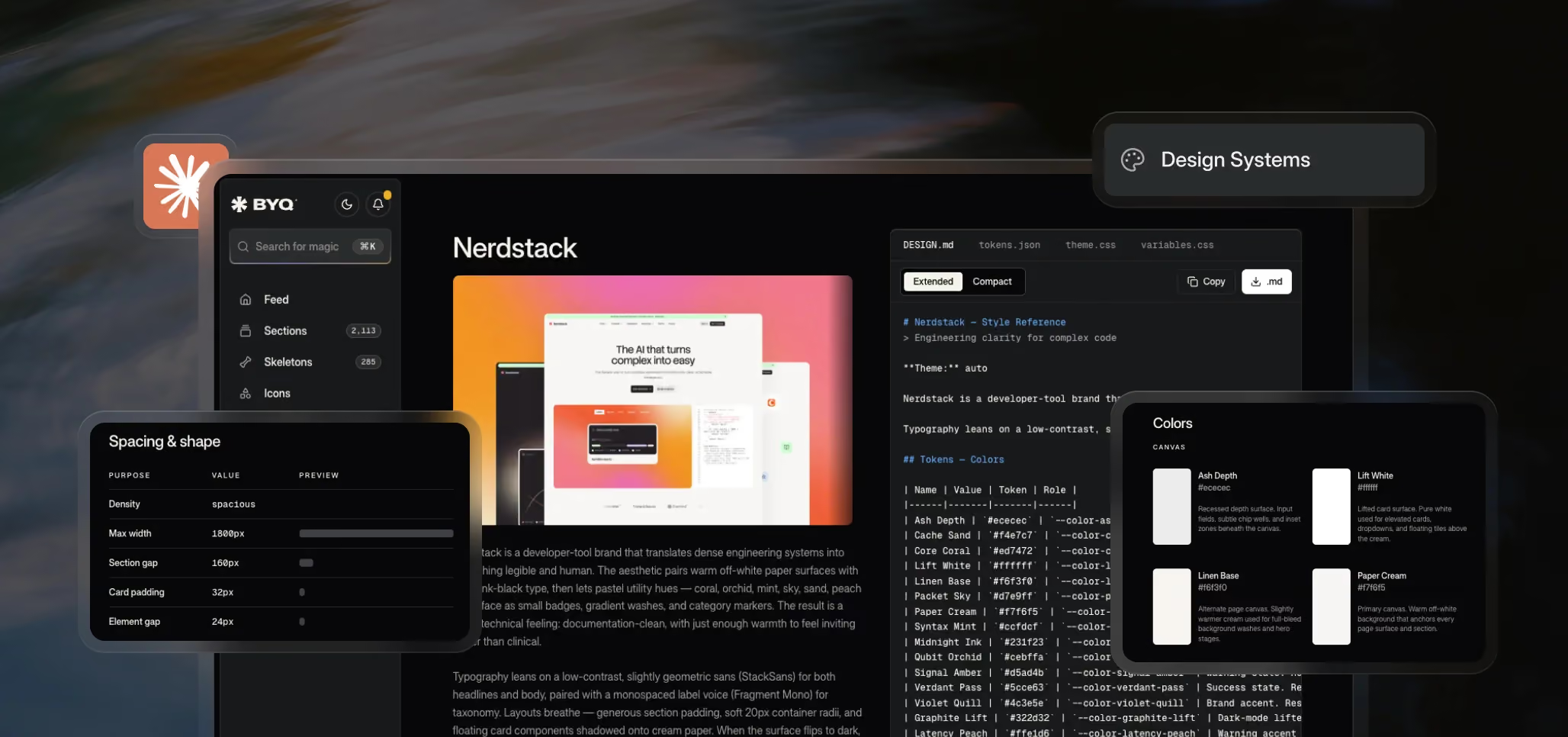
What you actually get
Pick any template’s Design System and you’ll see four files on the right side of the page:
- DESIGN.md — a single instruction file that teaches an AI tool the entire visual language of the template, including voice, do’s and don’ts, and example prompts.
- tokens.json — the design tokens in a structured format that design tools and pipelines can read.
- theme.css — a drop-in theme block for Tailwind v4 projects.
- variables.css — plain CSS custom properties that work anywhere CSS works.
Each file unlocks a different workflow, and we’ll cover all of them in the next chapters.
Design Systems vs. Design Tokens
You’ll hear both terms used interchangeably across the industry. Design tokens are the atomic values — the actual hex code, the actual pixel value, the actual font weight. A design system is the full package: tokens plus the rules around them, the voice, the do’s and don’ts, the surface logic, the example prompts.
BYQ Design Systems include both. The token files give you the values; the DESIGN.md file gives the AI the rules and context to use them well.
Why this matters in the age of AI
AI tools are fast at generating layouts but generic by default. Without context, you get the same spacing, the same shadows, the same fonts, the same rounded buttons everyone else gets. Feed an AI a BYQ Design System and the output starts carrying the personality of a polished, production-ready template — the same templates we use for full websites.
A growing library
Design Systems are available for 50+ of our most popular templates today, and the library keeps expanding as we convert more of our 150+ templates. Anyone can preview a Design System on BYQ. Downloading any of the four files requires a Pro or Ultra plan.
Where this fits in BYQ
Design Systems work on their own — drop a file into your favorite AI tool and start building. They also pair naturally with our Converter, which takes AI-generated HTML and turns it into Webflow and Figma. Together, they form a full loop: pull a design system out of BYQ, generate with AI, bring the output back into Webflow.
