Welcome to BYQ Sections
Sections in short? You browse the library, find something that fits your layout, copy it where you want it, update the content, and you’re done. No frameworks. No variables. No setup. Just instant, reliable results.
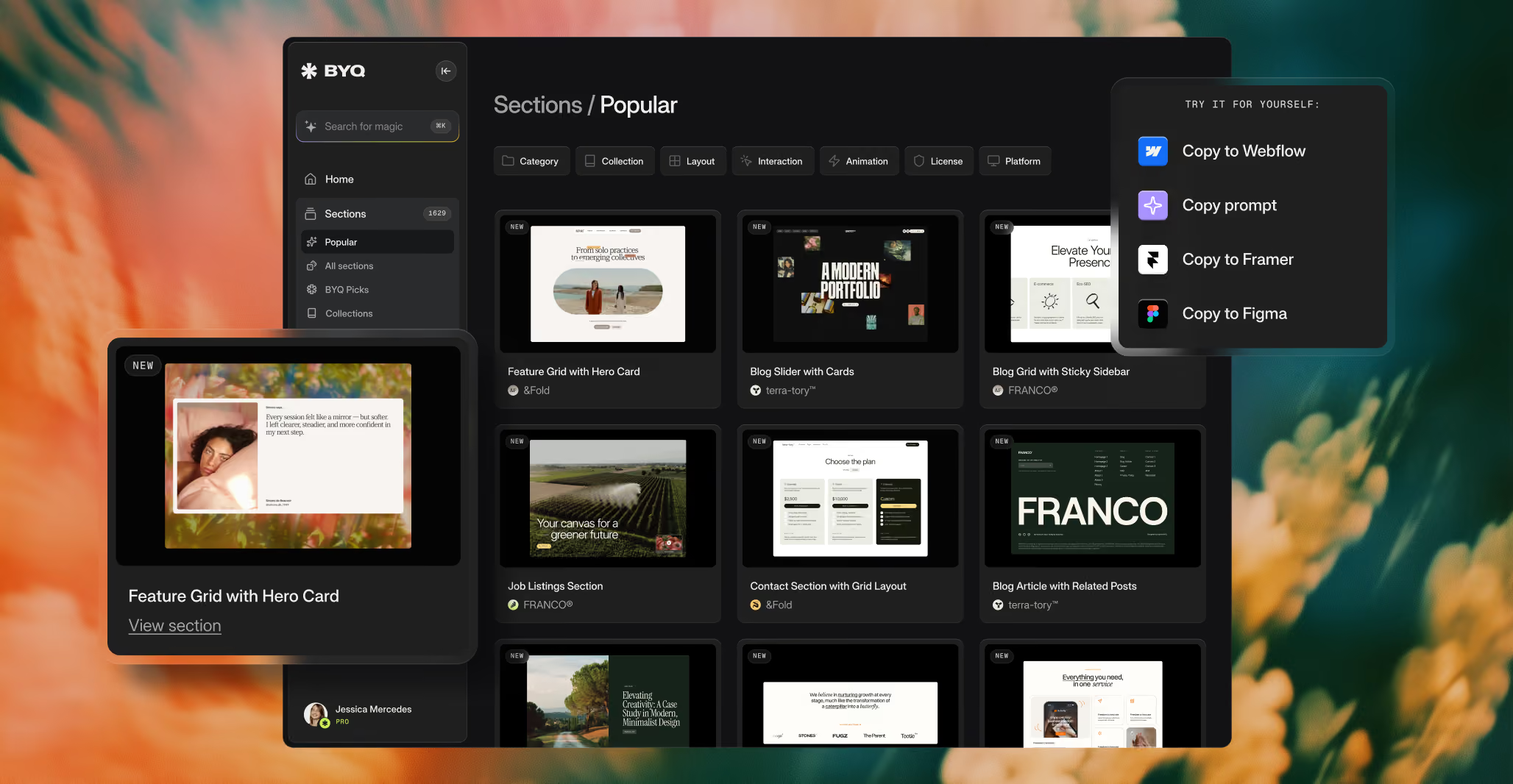
Where Sections come from
Every section is lifted directly from one of our premium BYQ templates — the same designs we sell as complete websites. When you paste a section into Webflow, Figma, or Framer, you’re getting the actual production-ready design with its original styling intact, not a watered-down preview.
Four ways to use a Section
Every section can be copied four different ways, depending on where you’re building:
- Copy to Webflow — paste it directly into a Webflow project as native elements
- Copy to Figma — paste it into a Figma file as native layers and frames
- Copy to Framer — paste it into a Framer project as native elements
- Copy Prompt — copy it as an instruction set for AI coding tools (Claude Code, Cursor, v0, Lovable, and others) to rebuild inside your own codebase
You can also customize a section before copying it: change its color scheme with Themes, or make small AI-powered tweaks with Edit with AI.
Sections vs. Skeletons
While Skeletons are built for intermediate and advanced users who want a scalable, variable-driven system, Sections are ideal for beginners and anyone who wants speed, convenience, and a visually strong result without adopting a full framework.
Everything baked into the Section
Because these Sections come directly from templates, all styles are baked into the classes. They don’t rely on Client-First, and they don’t inherit Webflow Variables. That’s intentional. It ensures that what you paste looks exactly like the preview, regardless of your project’s existing styles.
Plan availability
Anyone can preview every section in the library. Copying is gated by plan:
- Free plan — copy any section in our free collection (around 50 hand-picked sections) using any of the four copy methods
- Pro and Ultra — unlimited copies across every section in the library
There are no separate quotas for individual copy methods. If you can copy a section, you can copy it to Webflow, Figma, Framer, or as a Prompt.
When to use Sections vs. a full Template
Sections are perfect when you’re assembling a project piece by piece — grabbing a hero from one template, a pricing block from another, a testimonial from a third. If you’d rather start with a complete, ready-to-ship website instead of assembling it section by section, a full Template will save you more time.
