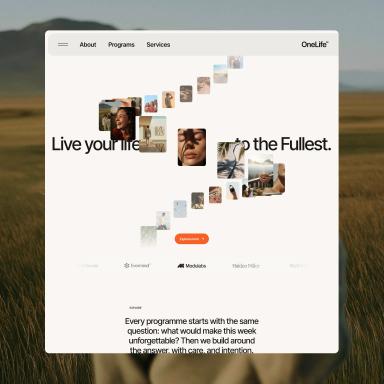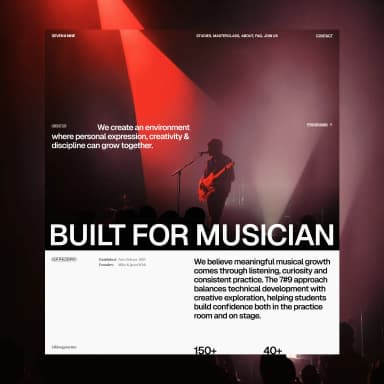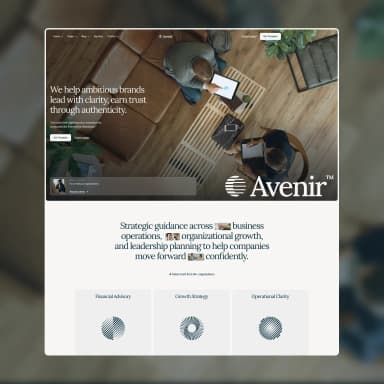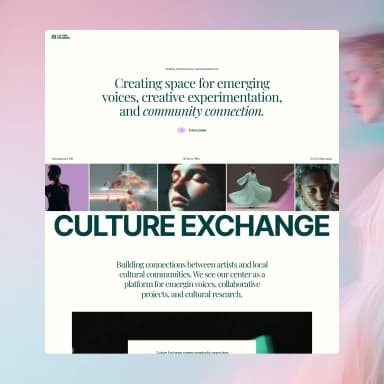


Shopify sections · Beta

1,100+ Shopify sections, designed by hand.

Make your store look custom-built. Copy a section, add it to your theme once, then edit everything in the theme editor. No app, no lock-in. 2,900+ sections in the full library.

BYQ Shopify sections are theme sections from the BYQ library, each a single Liquid file with its own settings, blocks and presets. You add the file to your theme once, then place the section and customise it in the Shopify theme editor like any built-in section.

From the library to your store.Four steps, the first two once per section.

Copy to Webflow
Copy to Figma
Copy to Framer
Copy HTML
Copy to Shopify
Copy Prompt

Make it yours in the theme editor.Settings, blocks and presets, no code.

Every section comes with real theme settings: headings, images, fonts, colours, spacing and motion toggles. Repeating parts like pricing tiers or testimonials are blocks you add, remove and reorder.

E-commerce sections bind to your store, so a product grid shows the collection you pick.

Watch the walkthrough
BYQ Pricing 2
Heading
Plans that grow with you
Heading font
Inter Tight
Accent colour
#C5EF57
Top spacing · 96px
Reveal on scroll
Tier · Starter
Tier · Growth
Tier · Scale
Add Tier

What is in the Shopify set.The biggest shelves.

No app, no lock-in.It is just a file in your theme.

  • One self-contained file

    Markup, styles, settings and a little inline JavaScript in a single .liquid file.

  • No external scripts

    Nothing loads from BYQ or anyone else when your store opens.

  • Stays when you cancel

    The file lives in your theme, so every section you added keeps working.

  • Edit it like your own

    It is plain Liquid, so a developer can change anything the settings do not cover.

  • Next to your theme

    Sections sit alongside your theme’s own; nothing existing is replaced.

  • Client stores included

    Use the sections on every store you build for clients.

One price for the whole library.Not per section, not per store.

  • BYQ Profrom $15 a monthThe whole library, Shopify sections included, for every store you build
  • Section store apps$5 to $9 a sectionPaid one by one, often tied to the app staying installed
  • Page builder apps$29 to $249 a monthA second editor inside your theme, billed per store

Designed by people, rebuilt for Liquid.The same sections, now in your theme.

Every Shopify section starts as a section from a real BYQ template, designed by BYQ Studio and Wavesdesign. We rebuilt them as Liquid with one consistent structure, so they behave the same in every theme.

Read how we did it

One library,more ways to build with it.

Frequently asked questions

Copy it with Copy to Shopify. In your theme’s code editor, add a new file in the sections folder and paste it in. Then open Customize, click Add section and pick it. The walkthrough video shows every step.

BYQ sections use the standard Online Store 2.0 section format, with their own settings, blocks and presets, so they work in themes that let you add sections in the theme editor. Your existing sections stay as they are.

No. You paste one file once; after that everything is edited in the theme editor: text, images, colours, fonts, spacing and blocks.

Each section is one self-contained .liquid file with its styles and a little inline JavaScript. It loads no external scripts and no app.

They stay. The file lives in your theme, not in an app, so everything you added keeps working after you cancel.

Yes. Your licence covers client work, so you can use the sections on the stores you build for clients.

1,100+ of the 2,900+ sections in the library come as Shopify sections, with new batches added regularly. Each section’s Copy menu shows whether it has a Shopify version.

Yes, Shopify sections are in beta while we widen coverage and test more themes. Tell us if a section misbehaves in yours.

Yes. Product and collection sections bind to your own store data: pick a collection or product in the theme editor and the section shows it.

Shopify sections come with BYQ Pro, from $15 a month billed annually, together with the rest of the library. The pricing page lists every plan.
Stop browsing. Start building.
Customer headshot used in testimonial section of BYQ Supply website.
Trusted by 10,000+
designers and agencies
Browse Shopify SectionsOpen Shopify Sections